> For the complete documentation index, see [llms.txt](https://docs.rabbitswap.xyz/rabbitswap/llms.txt). Markdown versions of documentation pages are available by appending `.md` to page URLs; this page is available as [Markdown](https://docs.rabbitswap.xyz/rabbitswap/user-guides/limit-order.md).
# Limit Order
RabbitSwap is proud to introduce Limit Orders, marking a significant milestone as the first decentralized exchange (DEX) on the Viction network to offer this feature. This enhancement empowers traders
### What is a Limit Order?
A Limit Order lets you set your own price for buying or selling tokens, ensuring you never miss an opportunity. It executes automatically when the market reaches your price, enhancing your strategy!
### How Limit Orders Work on RabbitSwap
1. **Placing a Limit Order:** Traders specify the token pair, the amount they wish to trade, and their desired price. The order is then added to RabbitSwap's order book.
2. **Order Execution:** The limit order remains open until the market price meets the specified criteria. Once the market reaches the set price, the order is executed automatically, ensuring the trade occurs at the predetermined rate or better.
3. **Order Expiry and Cancellation:** If the market does not reach the specified price, the limit order remains unfilled. Traders can cancel their open limit orders at any time without incurring additional fees.
### Advantages of Using Limit Orders on RabbitSwap
* **Price Control:** Limit orders allow traders to set the exact price at which they are willing to buy or sell, offering protection against unfavorable price movements.
* **Enhanced Trading Strategies:** Traders can implement more sophisticated strategies, such as setting buy orders at anticipated support levels or selling orders at resistance levels.
* **Automation:** Limit orders allow for a "set and forget" approach, automating trades and reducing the need for constant market surveillance.
### Getting Started with Limit Orders on RabbitSwap
To utilize limit orders on RabbitSwap:
1. **Head to RabbitSwap and click on Trade, Limit Order (or visit** [**https://rabbitswap.xyz/limit**](https://rabbitswap.xyz/limit) **)**
2. **Connect Your Wallet:** Access RabbitSwap and connect your compatible cryptocurrency wallet.
3. **Create a Sub Account:** Click on your wallet and “Create Trading Account”. This account will be used for Swapping and Limit Order. Make sure you also deposit tokens from the main account to your Sub Account.\
\
Note: As of October 2025, you can now use your main account, no need to use sub account to access limit order
4. **Select either Buy or Sell (depending on your need)**
5. **Select Trading Pair:** Choose the token pair you wish to trade.
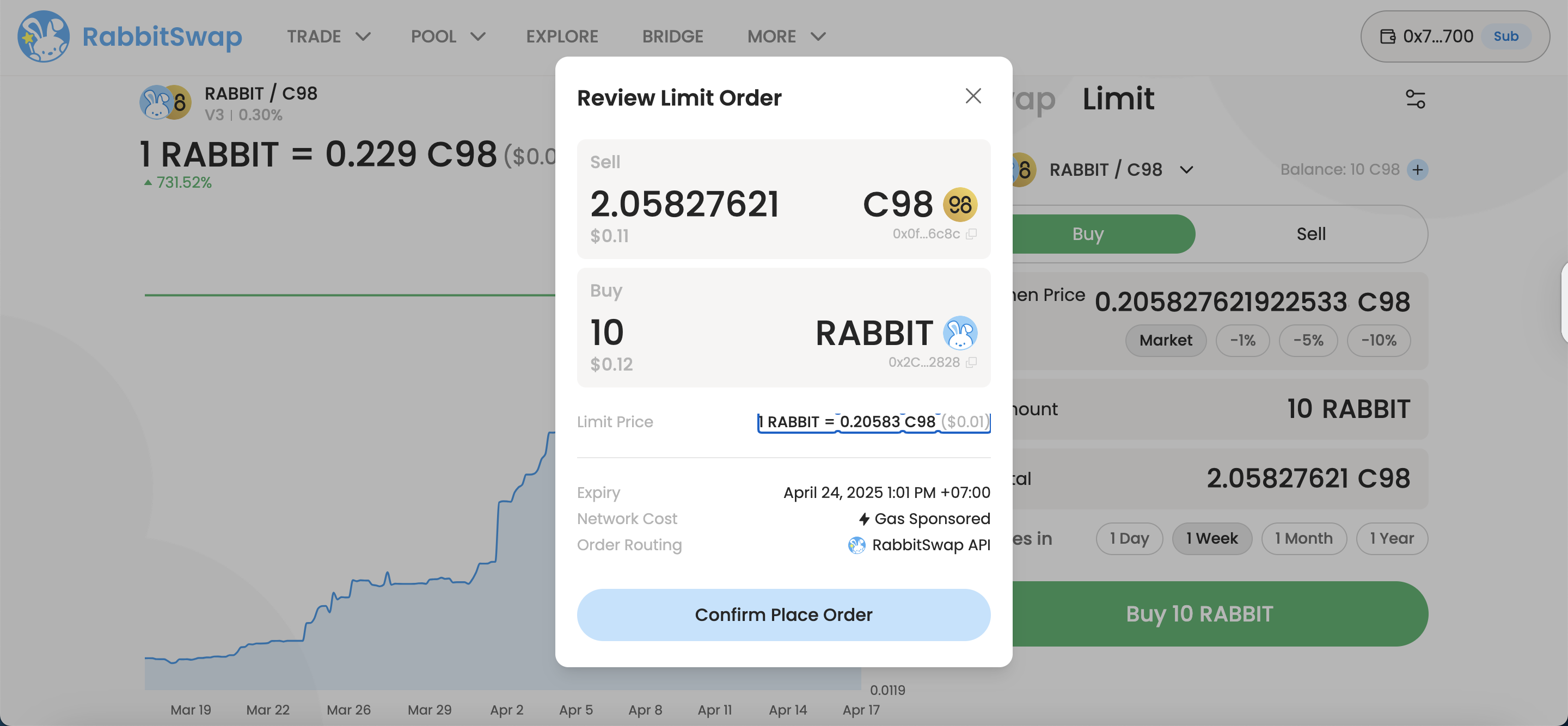
6. **Enter Order Details**: Specify the amount and your desired execution price.
7. **Confirm and Submit:** Review your order details and confirm to place the limit order.
### **Note:**If you encounter any issues with your Limit Order, please follow these steps
1. Refresh the page.
2. Double-check that all information is entered correctly.
If the issue persists, don’t hesitate to contact support for further assistance.
**Important: Even if the limit price is reached, there is a chance that your order may not be filled. Please keep this in mind.**
.png?alt=media&token=472127af-23e0-4ff4-b412-3905e6fdbffa)
.png?alt=media&token=1c88ea8d-3644-4f31-9e6e-cde2059ecbb4)


.png?alt=media&token=dbb2fc6b-b4d6-4514-a19c-7d5c0f804e14)